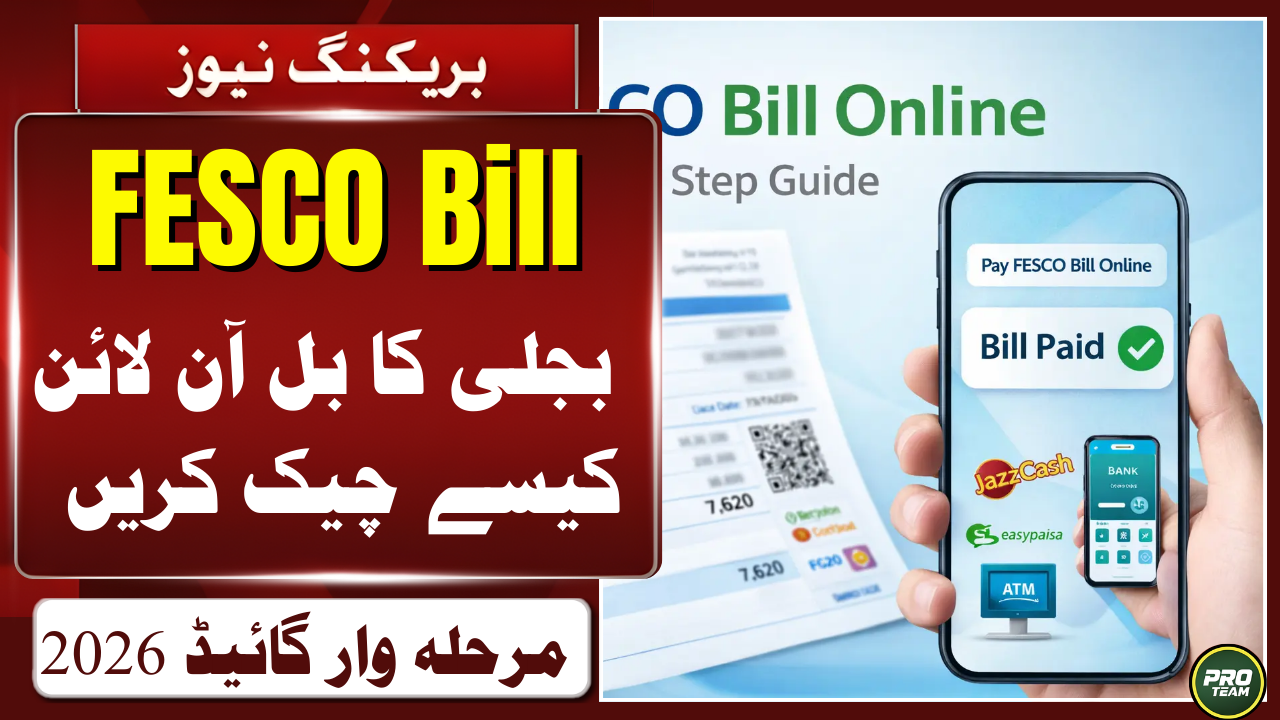
Khushkhabri! If you are a resident of Faisalabad, Jhang, or Sargodha, you can now check your FESCO electricity bill online in just 10 seconds without waiting for the postman. This advanced digital system allows you to view, download, and print your duplicate bill using only your 14-digit reference number from the comfort of your home. Whether you are using a mobile phone or a computer, our guide will show you how to manage your WAPDA bills efficiently and avoid late payment surcharges. Stop standing in long queues and switch to the fastest online billing service today to secure your financial records for 2026!
Quick Overview
| Service Type | Details |
| Check Method | 14-Digit Reference Number |
| Download Format | PDF / Print Copy |
| Official Portal | fesco.com.pk |
| Coverage Area | Faisalabad & 7 Other Districts |
| Charges | 100% Free Service |
What is FESCO and Which Areas Does it Cover?
Faisalabad Electric Supply Company (FESCO) is one of Pakistan’s premier electricity distribution companies, serving over 4.5 million consumers. It covers a vast network across Punjab, including cities like Faisalabad, Jhang, Toba Tek Singh, Sargodha, Mianwali, Bhakkar, Khushab, and Chiniot. If your home or business falls within these districts, you are a FESCO consumer and can access digital billing services 24/7. The company is known for its stable power distribution and quick customer support for both domestic and commercial users.
How to Check FESCO Electricity Bill Online Step-by-Step?
Checking your FESCO Electricity Bill Online is incredibly simple and does not require any registration or login. Follow these quick steps to get your latest duplicate bill immediately:
- Step 1: Visit the official portal or a trusted tool like efescobill.pk.
- Step 2: Locate the “Reference Number” box on the homepage.
- Step 3: Enter your unique 14-digit Reference Number (found on any old bill).
- Step 4: Click the “Check My Bill” button to generate the digital copy.
- Step 5: View your bill, or click “Download PDF” to save it on your mobile device.
FESCO Coverage Districts and Support
| District | Major Cities Covered |
| Faisalabad | Sammundri, Jaranwala, Tandlianwala |
| Jhang | Jhang City, Shorkot, Athara Hazari |
| Sargodha | Bhalwal, Shahpur, Sillanwali |
| Mianwali | Isa Khel, Kundian, Mianwali City |
| Bhakkar | Darya Khan, Mankera, Bhakkar |
How to Find Your 14-Digit Reference Number?
Many people get confused between the Consumer ID and the Reference Number. To check your bill, you specifically need the 14-digit Reference Number, which is usually printed in a bold box at the top-left corner of your electricity bill. It looks something like “12 12345 6789012 U”. Ensure you enter all 14 digits correctly without any extra spaces to get the most accurate results. If you cannot find it, look below the “Customer ID” section on any of your previous month’s paper bills.
Download and Print Your FESCO Duplicate Bill
A duplicate bill is 100% authentic and accepted at all banks and post offices for payment. Once your bill appears on the screen, look for the “Print” or “Download” icon. If you are on a mobile phone, select “Save as PDF” from the browser options to keep a copy in your internal storage. This is particularly useful for tax filers who need a record of their electricity duties. You can also use this digital copy to pay via mobile apps like JazzCash or EasyPaisa instantly.
Understanding FESCO Bill Taxes and Peak Hours
Every FESCO bill includes several government taxes such as FPA (Fuel Price Adjustment), GST (17%), and TV Fee (Rs. 35). To reduce your bill amount, it is highly recommended to avoid using heavy appliances during Peak Hours (6:30 PM to 10:30 PM). During these hours, the electricity rate per unit is significantly higher. Switching your usage to Off-Peak hours (10:30 PM to 6:30 PM) can save you thousands of rupees on your monthly electricity expenses.
(FAQs)
Q1: Is efescobill.pk a free service?
Yes, checking and downloading your FESCO duplicate bill is 100% free of charge for all consumers.
Q2: What should I do if my bill is not found?
Double-check your 14-digit reference number. If it still doesn’t show, it might be due to a system update; try again after 24 hours.
Q3: Can I pay my FESCO Electricity Bill Online using the duplicate copy?
Absolutely. You can use the reference number from your duplicate bill to pay through EasyPaisa, JazzCash, or any bank app.
Q4: How can I download my Tax Certificate?
When your bill appears online, look for the “Tax Certificate” button on the top right to download it for your tax returns.
Latest Updates
 Top News 2026! Get Your Free Rashan / How to Check 8070 PSER Ramzan Package Online
 Latest News 2026: Nigehban Card Payment Released / How to Check CNIC & Withdraw 10,000 Now
 Breaking News 2026: BISP 8171 Camp System Arrangements – Get Your Payment Easily in Pakistan
 Breaking News : BISP 8171 March 2026 Payment Schedule – Latest Update for Beneficiaries
  Good News: Free Laptops for Graduates / PM Youth Laptop Scheme Phase IV Update 2026
 Breaking News: Parwaz Card Last Date to Apply 2026 – Apply Before Time Runs Out!